
How it works
Upload your trip
Add the photos and videos from one trip, up to 120. Troven reads when and where each one was taken.
Check the route
Your stops appear on a map in the order you visited them. Drag, add or remove a stop if something is off.
Create your video
Tap Create my video: your trip is saved and the editor opens with a live preview. Pick a map style, a pace, the photos per stop and a song.
Generate and share
Tap Generate video and it renders in your browser. Download the MP4 or share it from your phone. Your trip stays in your account, ready to make public whenever you like.
What the video shows
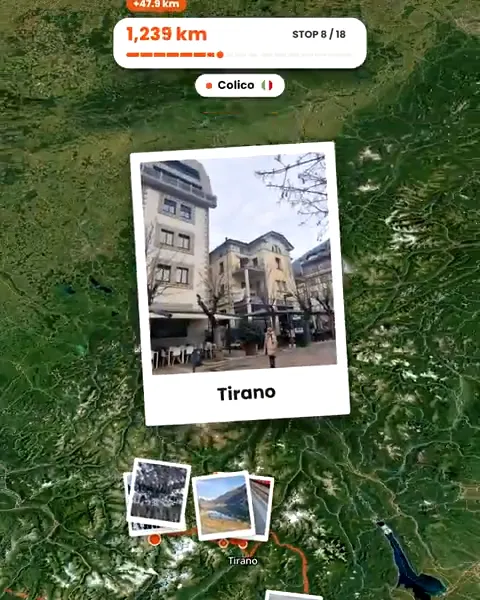
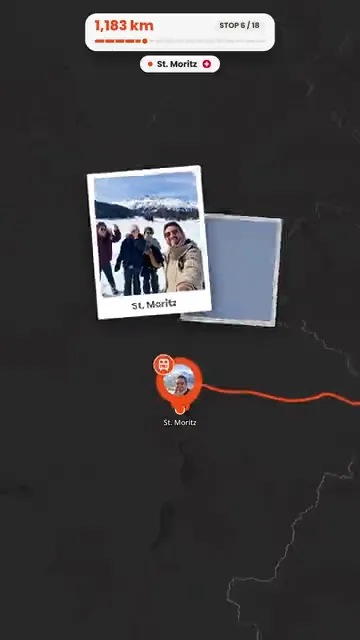
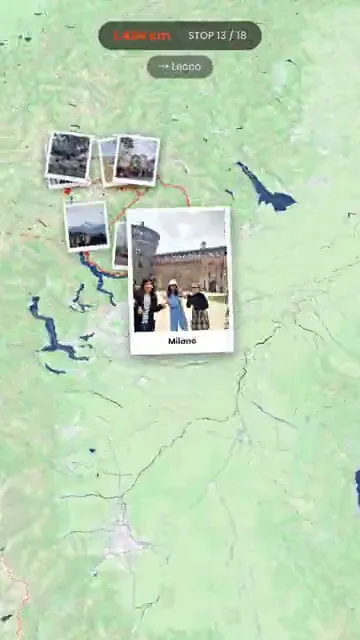
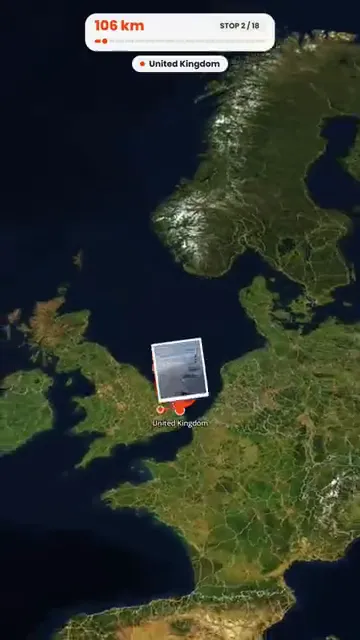
The camera opens on the globe, flies into the region you travelled and follows your route stop by stop. At each stop your photos and video clips pop up where they were taken, with the name of the place. The closing card shows the distance you covered and how many stops you made.
What you can change
- Map style: ten looks, from a dark map and a clean white one to satellite, outdoors, blueprint and pencil.
- Pace: Reel keeps it short (a 20-stop trip comes out at around half a minute). Fast, Normal and Cinematic run progressively longer.
- Photos: from none to five per stop, and which ones. Each photo stays on screen for 1 to 3 seconds and video clips for 2 to 6.
- Labels: show or hide stop names, photo markers and the avatars of the friends who travelled with you.
- Format: 9:16, 4:5, 1:1 or 16:9.
When the route needs fixing first
The video follows the route on your trip, so fix the route before you render. Photos with no location can still end up in the right place; see what to do when travel photos have no GPS.
Where the video goes
Download it as an MP4 (480p, 720p or 1080p), share it from your phone’s share sheet, or show it on your trip page so people who open your trip link can watch it.
Questions, answered
Do I need video editing skills?
What sizes can I export?
How long does it take?
Can I add music?
Is it free?
Is there an app to install?
Is there a watermark?

Your photos already hold the trip.
Upload them and see your route, map and itinerary come together. Free on the web.
Keep reading
 GuideHow to turn travel photos into an animated route videoStep by step, from trip photos to an animated route video for Reels, TikTok or Stories, including photos without GPS and fixing the route first.
 ProductTurn your trip photos into Reels, Shorts and StoriesTurn trip photos into a vertical route video for Instagram Reels, TikTok, YouTube Shorts and Stories, plus AI travel posters, without an editing app.
 GuideHow to turn holiday photos into a travel ReelMake a travel Reel for Instagram, TikTok or Shorts from your holiday photos, without an editing app. Pick the photos, the pace and the music, then post.